
What is worth understanding when an AI writes the code for you.
Discuss this article with your AI assistant
If you regularly use ChatGPT, Claude, or Gemini, it may be easier to discuss this piece directly with it. It knows your context and can explain things in your own terms. Copy the prompt below into your usual chat.
Here is the article: https://niar42.com/en/articles/vibecoder-literacy/
Tell me what the author is saying, why it could be useful,
and how I could apply it to my own work.
The barrier to starting software development is now remarkably low. Open Codex or Claude Code, type “build a service”, and a few minutes later something works. That is how I work every day: I have produced more than 300,000 lines of working code while still being unable to write it by hand.
Sooner or later, though, technical terms begin to appear: package.json, .env, docker-compose.yml, git push, DNS, VPS, nginx, logs. Without a basic map of the system, it can feel like ritual: the agent changes something, something breaks, and you do not know where to look.
In short, vibe coding is development in which an AI agent writes code from tasks described in ordinary language while a person directs the process without hand-writing code.
You do not need to learn programming for this. It is enough to have a practical understanding of the environment where code lives—roughly the way you can understand sockets and circuit breakers without an electrical-engineering degree. This is a map of that environment.
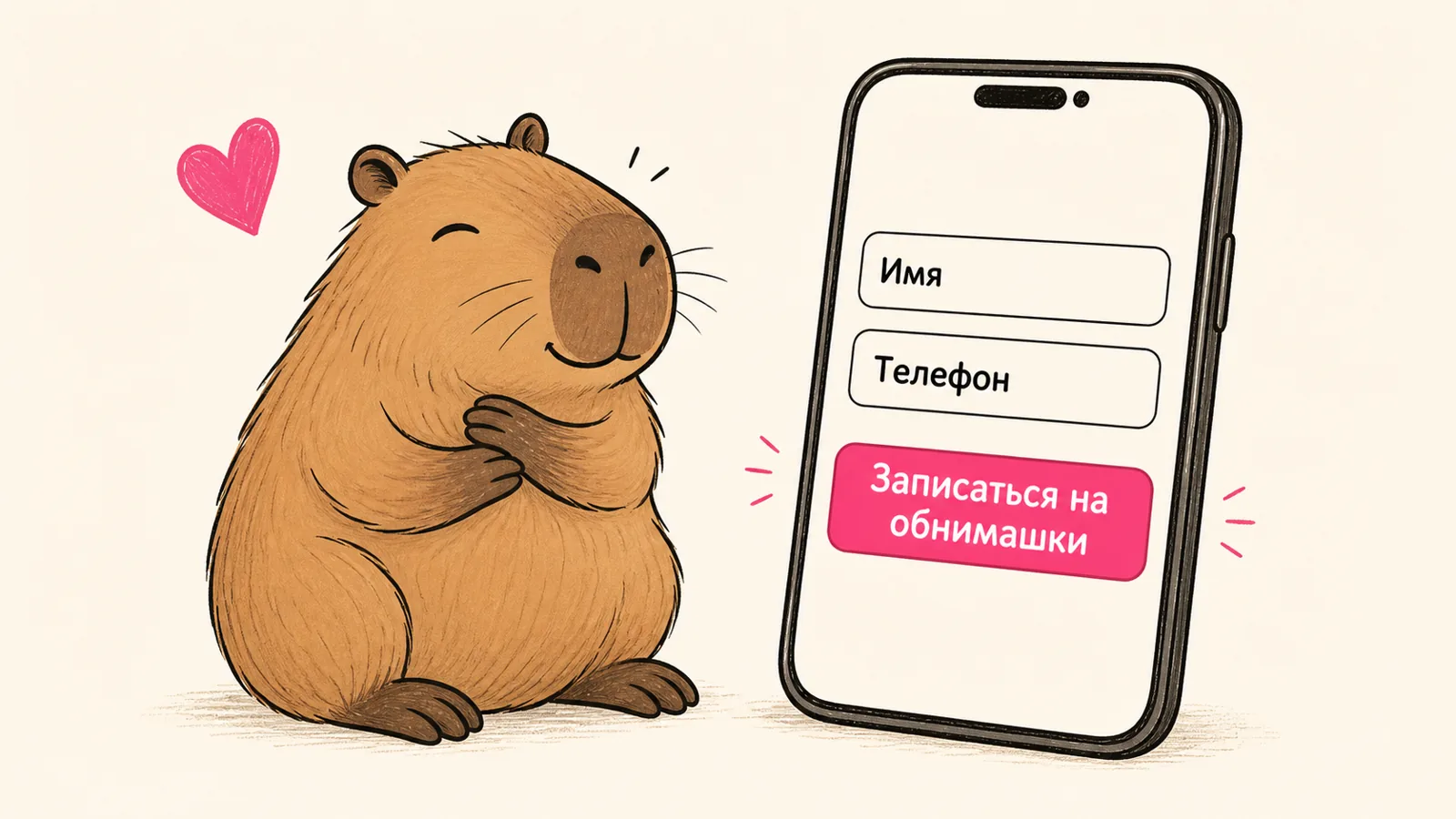
Our specimen is “Hug-a-Capybara”. To keep this concrete, we will take one service through the whole article. Hug-a-Capybara is a queue for people who want to hug a capybara: a person leaves their name and phone number, the request is saved in a database, and the capybara—or rather, the capybara’s administrator—calls back and invites them to a hugging session. The service is absurd; its structure is exactly the same as a serious one.
1. What an application is made of
Almost any app, from a landing page to a game, is assembled from four parts:
- The interface is what a user sees. In Hug-a-Capybara, it is a form with two fields: name and phone number.
- Routes / API are the addresses requests go to. Here it is
/submit, where a hug request is sent. - The database is where everything is stored. Here it is a “capybara queue” table.
- The logic is the rules that make everything work. Here it checks that the phone number is present and saves the request afterwards.
A person presses “Join the hug queue” → the form sends a request to the
/submitroute → the route checks the phone number, puts the request in the database, and returns “you are number 47 in the capybara queue”.
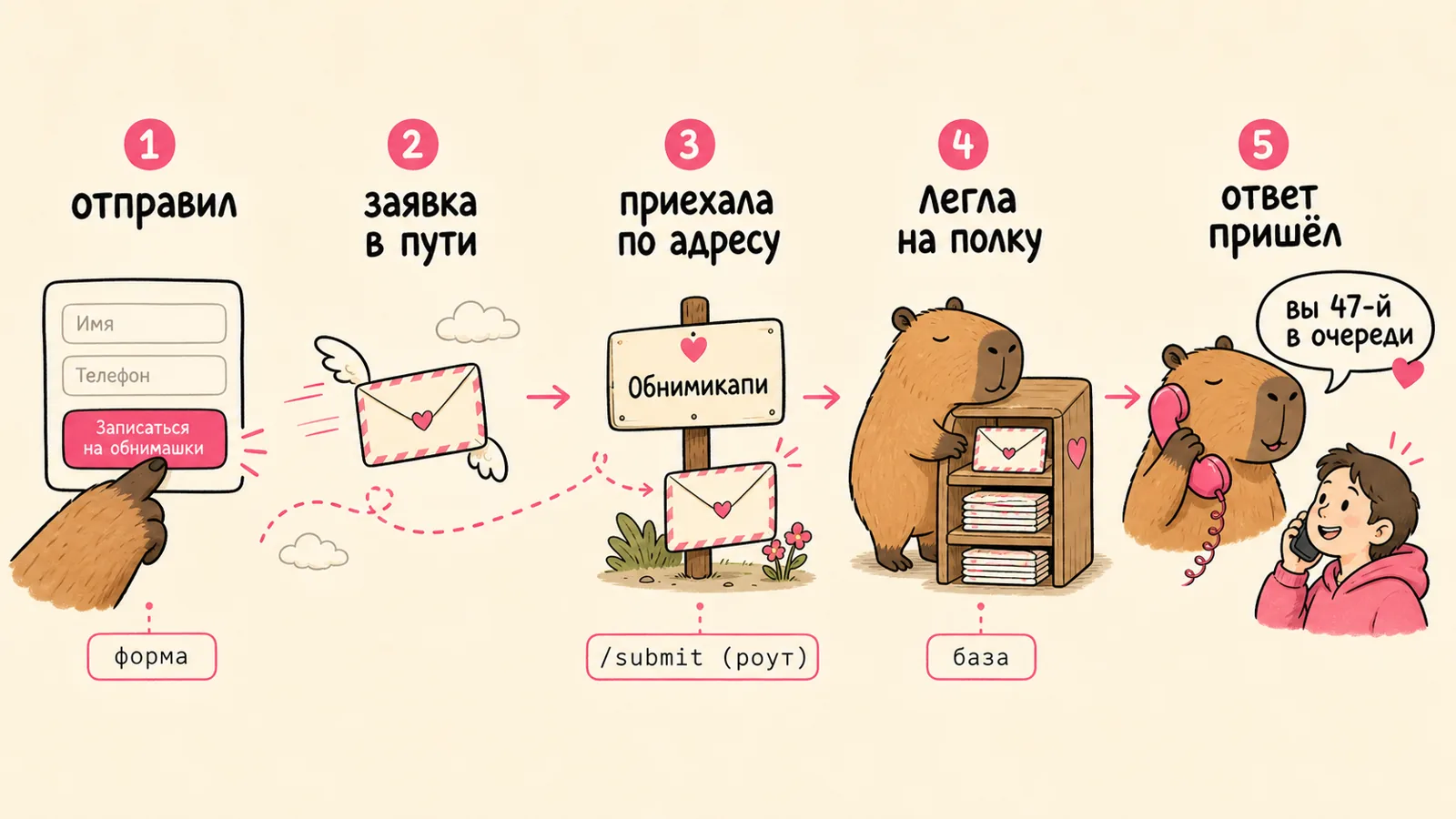
This map helps you set a more specific task even when an agent writes the code. You can state the structure from the beginning: “let’s build the form first, then the /submit route, then the queue table and phone validation.” The quality of the response improves because the agent follows a clear structure and has less to guess about.
2. Text files and Markdown
Specs, READMEs, documentation, and configuration are ordinary text files: .md, .json, .yaml, .env. There is nothing mysterious about them; they are simply text with clear rules.
Markdown is worth learning first. It is convenient for writing tasks for an agent, and agents understand it well. The basics are enough:
- headings;
- lists;
- links;
- code blocks;
- tables.
A useful habit is to keep a README.md next to the project that describes, in plain language, what the application is and how to run it. It is a cheat sheet for you and context for the agent.
3. Where it all lives: the project editor
When an agent writes code, it all goes into a project folder: dozens of files and subfolders. To avoid getting lost, you need one place where the whole project is visible—the folder tree, filename search, and the overall structure.
That is the editor: VS Code, Cursor, or Windsurf. It acts as a convenient control panel for the project space: open it, find what you need, and see what the agent has done without losing the bigger picture. You will not need to write code in it yourself.
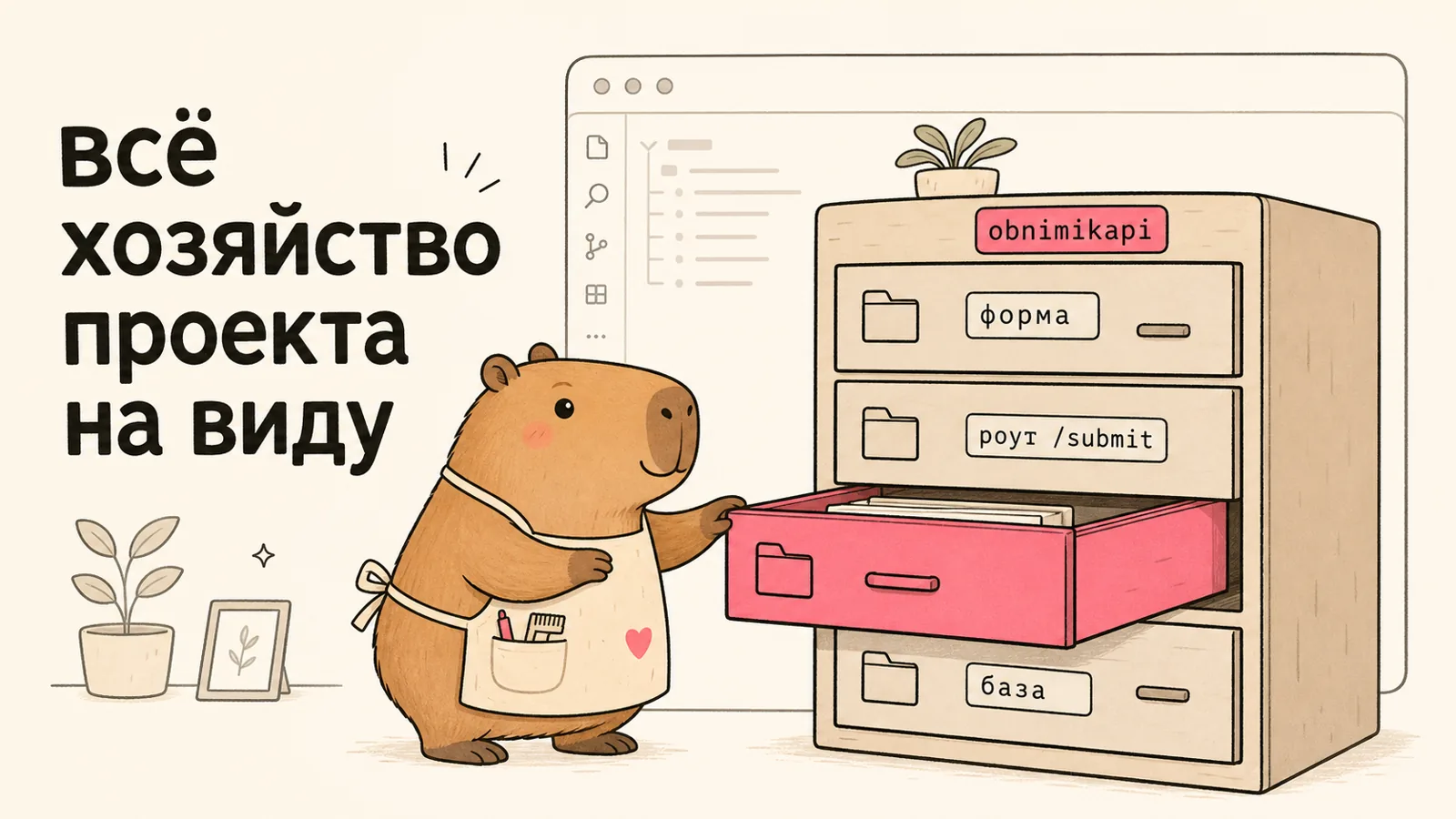
It is convenient to keep the text part—specs, README files, notes—in a Markdown-native app such as Obsidian. Markdown works the same way everywhere, so notes can move into a project without friction.
There is also an integrated terminal right in the editor. The next section explains what it is for.
4. The terminal: how an agent works directly with the system
You can work with any program in two ways. The first is through an interface: buttons, windows, a mouse—everything made for people. The second is through commands: the same action is called with one line of text.
One important detail about agents: they handle clicking buttons slowly and unreliably. They execute commands quickly and precisely. That is why an agent does almost everything through a terminal—a text window where commands tell the system what to do. It installs dependencies, starts a project, reads errors, and fixes them.

You do not need to memorise commands. It is enough to understand what is happening and keep a few in mind:
npm installinstalls project dependencies: other people’s code your project relies on;npm run devstarts the project locally so you can view it in a browser;npm run buildproduces the final version and also shows whether there are errors.
It is also useful to be able to do the basics yourself—at least start the application and open it in a browser.
5. Git and GitHub
Git is like saved games. If a request to an AI breaks something, you can always return to a working version and breathe again. Without it, one bad request can erase an hour of work.
GitHub is where a project lives, gets updated, and can be handed to another person or agent.
The minimum set of actions:
commit: save a point in the project’s history;push: send changes to GitHub;pull: get changes back;branch: a separate branch for an experiment;diff: see exactly what changed.

You can do very little of this by hand:
- GitHub Desktop is an app with buttons instead of commands. You can see what changed, then commit and push in one click.
- An agent can work with Git and GitHub itself. Ask it to “create a repository”, “commit and push this as a separate, clear commit”, or “roll back to the previous version”. Your job is to understand what happened and be able to return to an earlier state.
6. Docker: the same environment everywhere
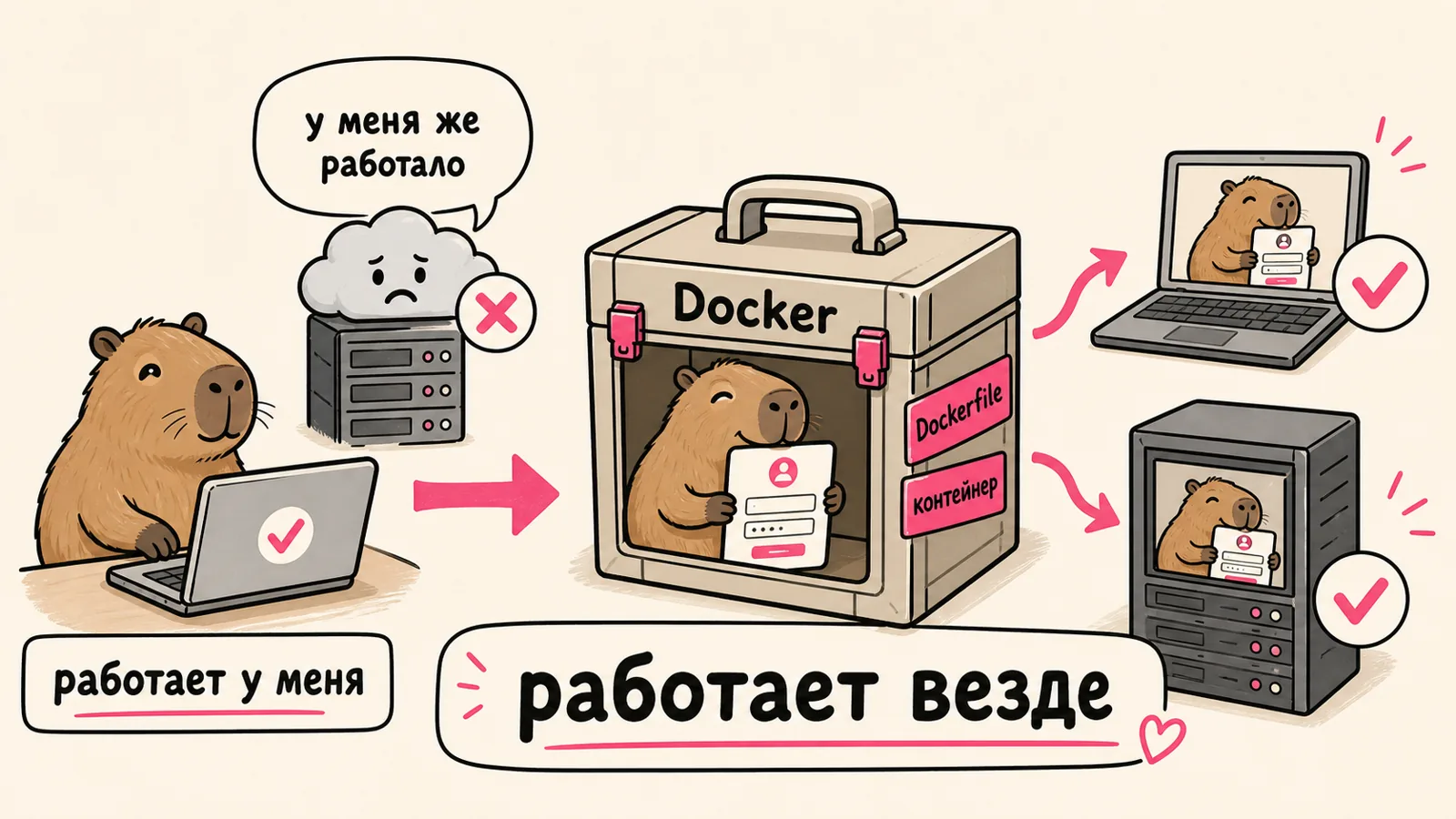
A typical story: Hug-a-Capybara is built on a laptop, and sign-ups work perfectly there. You move it to a server and the form crashes. The reason is almost always the same: the server has a different environment. Different versions of supporting programs, something missing, different settings. The familiar “but it worked on my machine.”
Installing everything directly on a computer or server has consequences. Hug-a-Capybara needs one version of a supporting program, the neighbouring project needs another, and they compete for space on one machine. Each new project clutters the system, and touching it becomes risky. When it is time to move to a server, the entire installation has to be repeated from scratch by hand—dozens of steps, with something bound to diverge.
Docker packs an application and its entire environment into an isolated box: a container. Inside are Hug-a-Capybara itself, the required program versions, and the settings. That box starts the same way anywhere: on a laptop, server, or cloud platform. Docker exists so that “it works on my machine” becomes “it works everywhere”, and projects on the same machine do not interfere with one another.
At a practical level, you only need to recognise three terms:
Dockerfileis the recipe for a box: what to put inside and how to build it;docker-compose.ymldescribes how several boxes work together, such as Hug-a-Capybara and its database;- an image and a container are the built box and the running box.
You will not need to write a Dockerfile by hand; the agent can assemble it. You need to understand what is in the box and provide secrets carefully rather than hard-coding them. The next section covers that.
7. Domains and servers
Suppose Hug-a-Capybara is ready and running on your laptop. For any person on the internet to open the form, their request must travel from their phone to your code. Let’s follow that trip step by step, using the same terms as in the picture.
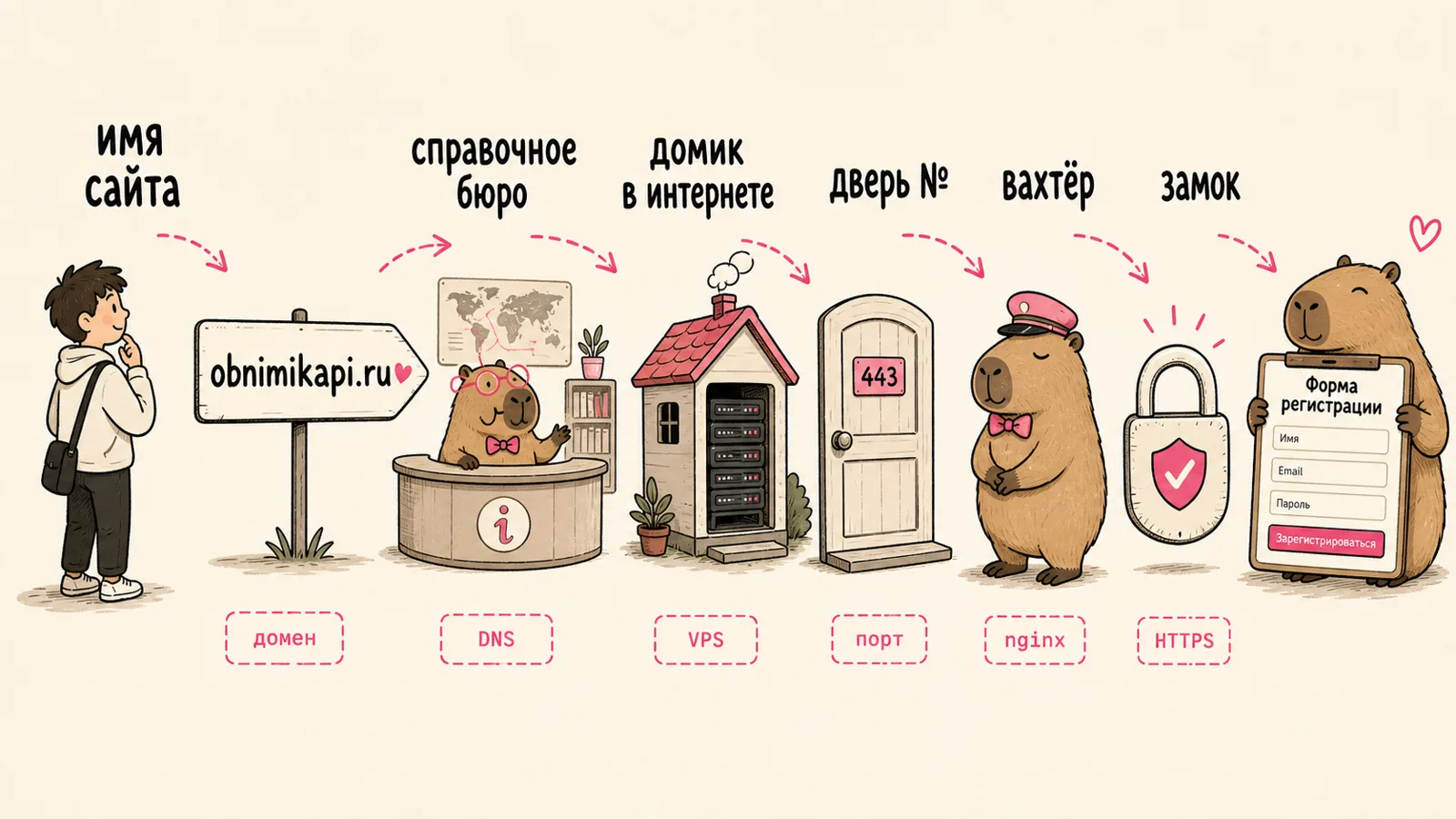
A person types
obnimikapi.ru→ DNS tells the request which computer to go to → it arrives at a VPS → reaches the right port door → an nginx gatekeeper lets it in over HTTPS → the form opens.
First, where Hug-a-Capybara lives. A home laptop is not suitable: it is turned off at night, its address changes, and it is not designed for a constant stream of people wanting to hug a capybara. So the application moves to a VPS—a rented computer in a data centre that runs around the clock. This is the house where the service lives. SSH lets you log into that remote computer and control it from your terminal as if you were sitting in front of it: it is an encrypted tunnel that admits only a password or key.
Next, how people find that house. A domain is the site name, obnimikapi.ru, which a person types into an address bar. The name alone does not lead anywhere: the browser needs the address of a specific computer. DNS acts like directory assistance: by domain name, it tells the browser which VPS to contact.
Finally, how requests are allowed inside. The request reaches the server, where many programs are running. A port is a door number: it tells the request which program it reached (HTTPS websites usually listen at door 443). At the entrance is nginx (or Caddy), the gatekeeper: it accepts incoming requests and sends them to the right doors. It also maintains HTTPS, the lock that encrypts traffic between a person and the server, so phone numbers cannot be seen along the way. Without that lock, a browser honestly says “not secure”.
You do not need to configure this blind; the agent can set it up. When Hug-a-Capybara suddenly does not open, this chain shows where to look: the domain is not connected, the VPS is down, the port door is closed, or the certificate lock has expired.
8. Security
Imagine the phone numbers of everyone who signed up to hug a capybara ending up with strangers. It sounds like a horror story, yet leaks happen in mundane ways: an agent can easily publish an API key on GitHub, expose a database to the public internet, or paste a token into a shared chat. An unprotected server can be found and compromised by an automated scanning script in five minutes, with no hacker theatrics required.
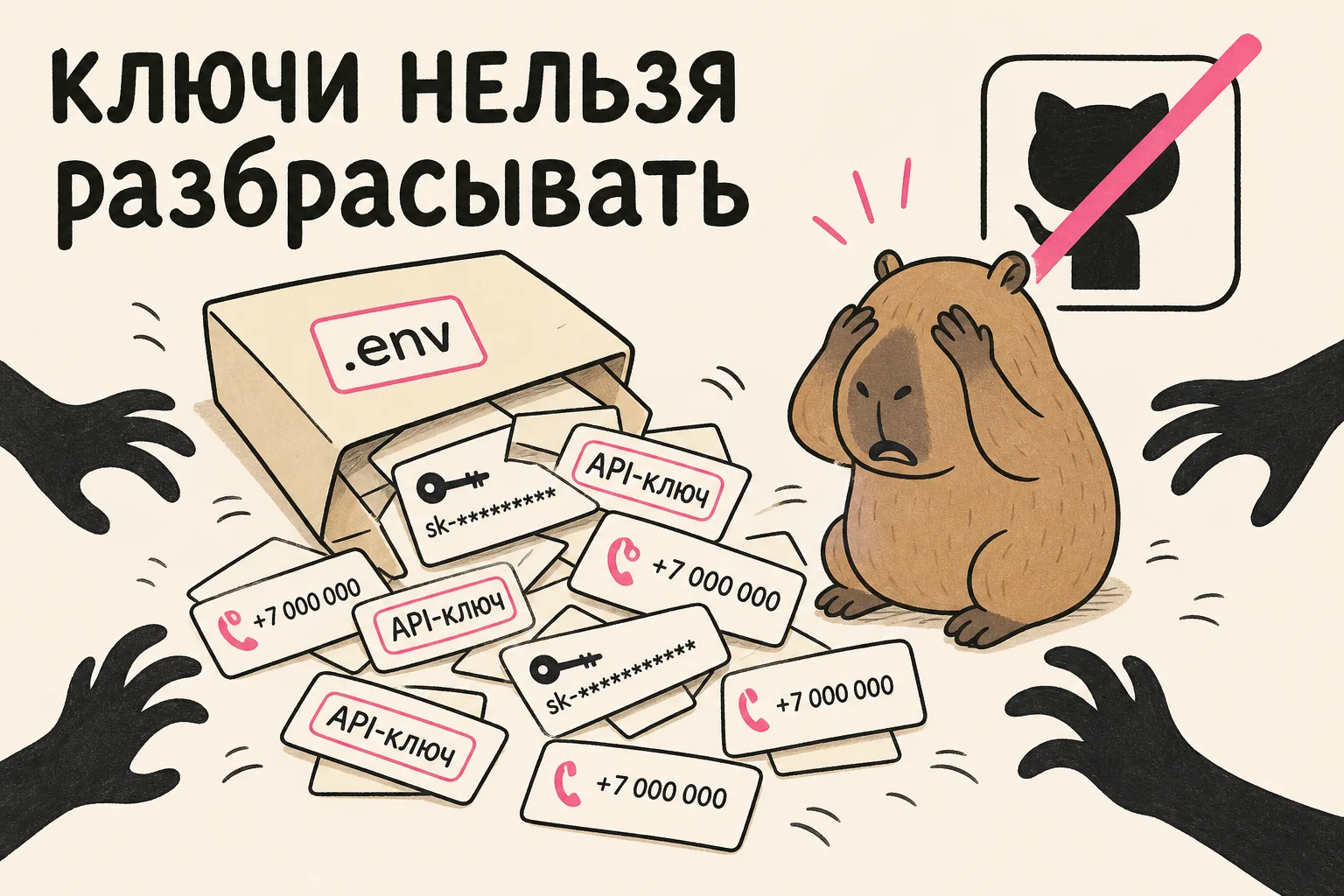
To keep those phone numbers private, learn the minimum:
.envis a file for secrets: keys, passwords, and tokens. It does not go into Git; you add it to.gitignore. The code reads values from it, while the file itself stays with you.- A secret can leak into the browser. If an agent accidentally places a key in frontend code, it is visible in the browser’s developer console—meaning to any site visitor. Check this especially for OpenRouter keys, database access, payments, and CRM.
- Close unnecessary doors. Databases and internal services should not face the whole internet. Only what needs to be public should be exposed: the ports and nginx gatekeeper from the previous section.
A simple daily rule: if you doubt whether something can be sent somewhere, assume it cannot and ask the agent whether a secret could leak there.
When something breaks
It will happen, and that is normal. Here is what to do when you cannot read code:
- Read the complete error. The last line in the logs usually tells you the essence: which file or package is missing, which port is taken, or where a check failed. Even without understanding every detail, you can usually tell which part has failed: the form, route, or database.
- Copy the error to the agent word for word and add context: what you did, what you expected, and what happened. A bare error is harder to fix.
- Roll back if things have really drifted. Git will return the last working version, and you can approach the task again.
- Ask questions as you go: “what does this error mean in plain English, and how do I fix it in my situation?” That process solves the issue and gradually fills in the map.
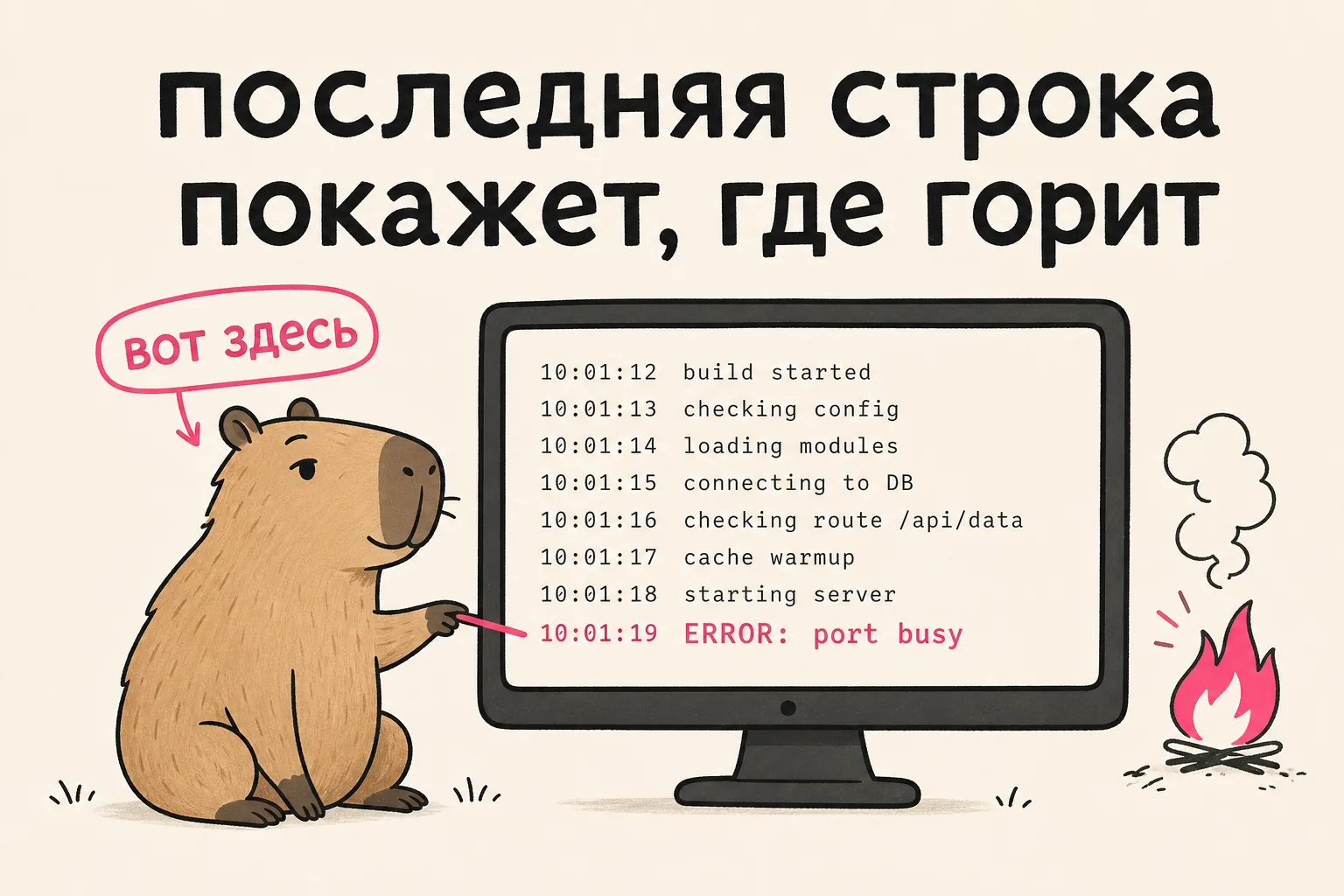
For example, Hug-a-Capybara stops saving requests. The last line in the logs tells you where the problem is: the database cannot be reached, a port is occupied, or phone validation failed. You then know what to show the agent.
Frequently asked questions
What is vibe coding in plain English?
Vibe coding is development where an AI agent writes code from tasks described in ordinary language. A person sets the task and directs the process while the AI does the coding.
Do I need to know how to program?
You do not need to write code by hand. It is more useful to understand the environment around code: what an application is made of, what Git, Docker, and domains are, and where to store secrets. This article covers that whole map.
How do I start vibe coding from scratch?
Open Codex or Claude Code, describe a task in ordinary language, and build the project step by step, asking the AI about anything you do not understand. The sections above give a detailed map of the environment. I have also tested how to write prompts without formulaic answers. For longer work, the guide on how to set goals for AI agents and check the result will help.
What tools do I need for vibe coding?
You need a project editor (VS Code or Cursor), a terminal, Git and GitHub, and, to put something on the internet, a server and a domain. An AI agent such as Claude Code, Cursor, or Codex helps write the code.
Mini glossary
| Term | In plain English |
|---|---|
package.json | a list of the project’s dependencies and commands |
| dependency | someone else’s code that your own code relies on |
.env | a file for secrets; it does not go into Git |
| route / API | an address where an application sends a request |
| deploy | put a project on a server so it is available online |
| image / container | Docker’s built box and its running box |
| port | a door to an application on a server |
commit | a saved point in a project’s history |
Checklist: what a capable vibe coder can do
- open a full project in an editor;
- run it locally on their own;
- save work in Git and roll back when needed;
- keep keys in
.envand check that they have not leaked, either to GitHub or to the browser; - deploy a project to a server and set up automatic deployment;
- close ports to the public internet;
- ideally, know about tests and CI.
How to learn all this
The most effective way is to start making something you have wanted to make in Codex or Claude Code—even your own Hug-a-Capybara—and ask the AI along the way, “what is the best way to do this in my situation?” and “what is this and how do I use it?”
The pattern is simple:
- set a task;
- the agent changes files, encounters errors, and fixes them;
- you clarify, ask questions, and gradually understand how to manage the code even before you can read it.
The clearer the map of the environment becomes, the calmer the work feels: less ritual, more deliberate control of software.
Author
Nikita Arkhipov builds AI systems hands-on and leads commercial work for companies. He is co-founder of the automation studio Isty.
He writes about AI and business on Telegram: what he implements himself, what worked, and what it cost.
Navigation: niar42.com · all articles · message me on Telegram →