
One Goal ran for more than two days
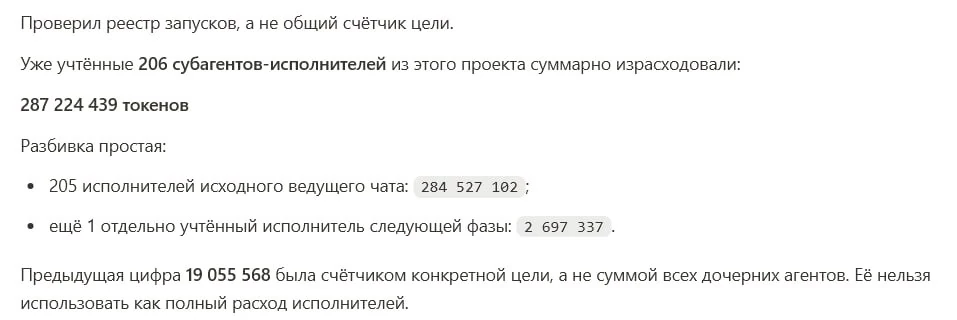
One of the tasks we ran at Isty took a little more than two days and consumed 287,224,439 tokens. That is a substantial amount of work.

Here and below, “we” means me, Nikita Arkhipov, and the Isty team. This article combines my own experience with that of our studio: internal experiments, client work, and our own projects in Codex and Claude.
During those two days, 206 AI workers took part in the task. The main agent split the assignment into pieces, delegated work to additional agents, brought their results together, checked them, and kept going. At the end it reported that the goal had been achieved.
In Codex and Claude Code, this mode is called a Goal. You describe a final result; the agent performs many steps and keeps working through several cycles. One Goal can last twenty minutes, several hours, or a couple of days.
We have used Goals for analysis, documents, research, and service development. The clearest example is istranscribe, a small Windows app for recording meetings. We asked Codex to bring it to a release-ready state. Twenty hours and twenty-four minutes later, the Goal was complete: the application existed as we had planned it. Along the way, the primary agent created 79 additional branches.

That sounds tempting: write a large assignment, start it, and wait for a finished result. Then the real questions begin. What counts as “release-ready”? How will the agent know that the app is ready? Which parts of the product may change? How much time and how many attempts should it get? What must it show at the end?
We studied the current Codex and Claude Code documentation, public user experience, and, above all, our own practice. In one recent week alone, our Goals spent more than two billion tokens. Some long runs produced accepted results; in others, an agent wrote complete and we did not accept the outcome.
Over time we found a practical pattern. It turned out to be SMART, the familiar framework for setting human goals. It also gives AI agents a useful working contract.
A brief note. This article begins after you have found the Goal button. Here we focus on setting and controlling a large task. Product interfaces change, so ask ChatGPT or Claude how to enable a Goal in your current version.
Discuss this article with your AI assistant
If you use ChatGPT or Claude regularly, it can help apply this material to your context.
Here is the article: https://niar42.com/en/articles/goal-setting-ai-agents/
Explain the author’s approach, why it may help,
and how I can apply it to my own tasks.
Build your route through the article
The complete article takes about 45 minutes. Read it from start to finish, or choose a route for the task in front of you.

- Understand how a Goal works · about 5 minutes: what happens after launch → how SMART applies to agents
- Prepare your own Goal · about 10 minutes: three ways to assemble it → a first-launch scenario
- Understand an unaccepted result · from 7 minutes: two failed launches → the relevant SMART letter
- Choose a model, limits, and
Ultra· about 10 minutes: time and tokens → models, reasoning depth, and additional agents
Show the full contents · about 45 minutes
- One Goal ran for more than two days
- What a Goal is
- Why SMART matters
- Specific: what should appear
- Measurable: how to know it is ready
- Achievable: whether the agent has what it needs
- Relevant: what human or product need it serves
- Time-bound: how much time and how many attempts to allow
- Two completed Goals we did not accept
- Three ways to assemble a SMART Goal
- Which model and reasoning depth to choose
- How to set an AI-agent goal: where to start
What a Goal actually is
AI normally tries to produce its next response. In an ordinary chat, that response goes directly to you. In Goal mode, another question appears between the agent’s working response and the user: “Does this response prove that the goal has been completed?”
If the answer is no, the agent receives the evaluation and continues. It opens materials, fixes an error, tries another approach, or splits the task into parts. It then prepares another response and goes through another check. You receive a final message when the completion condition is met, the limit is reached, or a blocker requires a human decision.
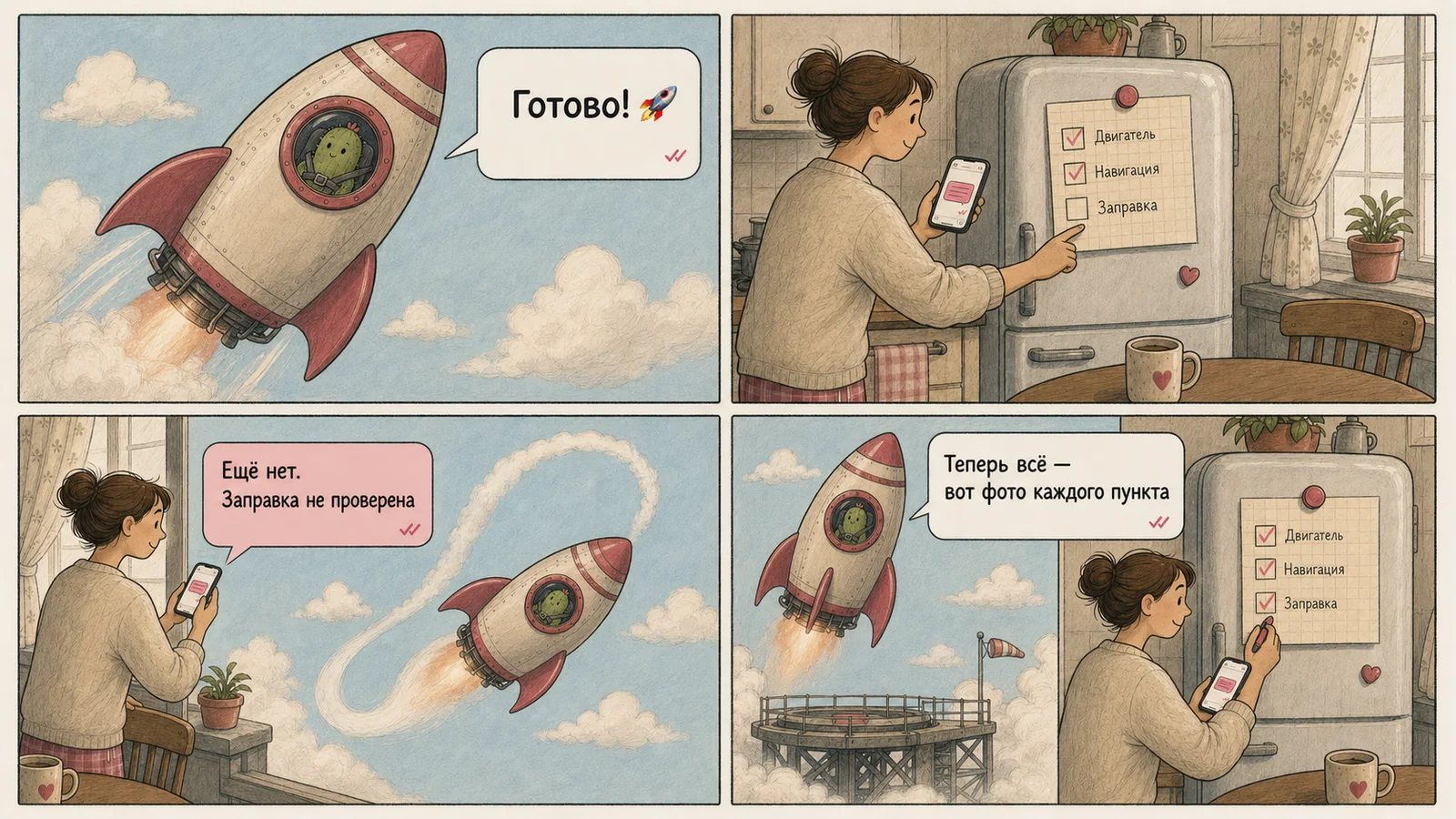
In Claude Code this can be literal: after a work pass, a separate AI evaluator reads the conversation and decides whether the condition is met or another pass is needed. The evaluator does not itself open files or run tests. The working agent therefore needs to bring evidence into the conversation: completed items and results of recent checks.
Codex describes the mechanism differently. The Goal text is both the first assignment and the completion criterion. ChatGPT compares its progress with that text and chooses the next step. From the user’s perspective, the pattern is the same: insufficient evidence means work continues; fulfilled criteria produce a final answer.
You can write to a Goal while it is running
In Codex, the chat remains available during long work. You can clarify a requirement, ask for a risk check first, or point out a newly available file. The agent receives the message and considers it on the next pass.
The most recent user message becomes the immediate reference point for that pass. The stored Goal still applies, while the new message sets the nearest action. A brief “continue” is still the latest user request.
What this looked like in one of our Goals
One agent was preparing clear reference pages for every sheet in an analytics report. We opened the output and wrote comments directly in the active Goal:
/goal Prepare reference pages for 100% of the sheets.
→ “Sheet reference” currently leads to the homepage.
→ The reference page is unclear to the head of sales.
→ Add instructions for reproducing this report in the CRM.
Each message became the next task: the agent fixed the link, rewrote the explanation for a non-technical reader, and added a manual way to check the numbers. Small corrections work well in chat. When the intended outcome or scope changes materially, record the updated contract in the board or Goal file, or start a new Goal.
You can also pause and later resume a Codex Goal. Before resuming, give a concrete instruction: Resume the Goal. The current state is recorded on the board; continue with [card name] and take [clarification] into account.
Let us return to istranscribe. It is a small Windows system-tray app that watches for signs of a meeting. When it detects one, it asks whether to record. After the meeting, it saves the audio file in the selected folder.

At launch, we had product specifications, a project board, and parts of the app. The agent had to assemble a Windows x64 release: installer, interface, meeting detection, audio recording, file saving, updates, and removal. It read the specifications, followed the task board, ran checks after every stage, and combined results from additional branches.
| Mode | When it fits |
|---|---|
| Ordinary prompt | The end is short and obvious: rewrite a paragraph, find an error in a table, propose ten names. |
| Planning | The result still needs defining: study materials, compare options, ask questions, and make a future-work plan. |
| Goal | The outcome can already be described and checked: ship an app, process a document set, or run research to specified criteria. |
| Schedule or loop | One action repeats on a time or event trigger: check requests each morning, prepare a weekly report, monitor a build. |
The defining property of a Goal is persistence. Its wording outlives a single response, goes through several acceptance cycles, and can grow into dozens of sub-tasks. That is why words such as “done”, “high quality”, and “do everything” need to be unpacked in advance. SMART provides the questions.
Why SMART matters
SMART is often associated with management decks and quarterly plans. For an AI agent, it is more useful as five questions:
- Specific · S — What exactly should appear?
- Measurable · M — How will we know and prove that it is ready?
- Achievable · A — Does the agent have the materials, access, tools, and authority?
- Relevant · R — What human or product problem does the outcome solve?
- Time-bound · T — How much time, how many attempts, and which resources may it spend before stopping?

Applied to istranscribe, “bring the app to release” opens into a Windows x64 release that installs on a clean computer, detects a meeting, asks permission, records audio, and saves a file. The complete path must be tested and its results shown. The agent works from the specifications and board. The user receives a recording. The work has a limit and clear stopping conditions.
The five questions overlap. Scope makes a goal more specific and more achievable. Evidence makes a result measurable and also shows that the agent can obtain it. Preserving old flows belongs to both specificity and measurement. Treat SMART as a pre-flight check for holes in the brief before the agent multiplies them into hours of work.
Specific: what should appear
_Specific · S_
A specific goal answers the agent’s first question: “What must I bring at the end?” “Prepare for a meeting” can mean one note or a folder of documents. “Bring the app to release” can mean a build on a developer’s machine, an installer for users, or a store submission.
For a long Goal, that difference matters because the agent will make dozens of decisions from its own picture of the outcome. Each vague word gradually becomes files, tasks, and additional branches.
Record three things:
- What must appear. The result a person will see: an app, report, document set, table, or research output.
- Where the task ends. Which parts of the project may change and which directions are outside this work.
- What must remain. Which functions, data, style, and user scenarios must still work afterwards.
Agent documentation often calls these outcome, scope, and invariants: what to create, where the agent may go, and what it must not lose.
When we forgot to specify the shape of the result
We once had a client meeting scheduled for the same day. In a few hours, we needed to restore prior agreements, understand the team’s current structure, suggest a future structure, and prepare for the conversation.
We had a transcript of the previous meeting. The rest of the context was scattered across notes, reports, and conversations; one linked table was unavailable to the agent. We launched a Goal so it could collect the context and keep working until a proper preparation pack existed.
The brief sounded detailed: people, contractors, budgets, the history of the conversation, and five tasks. After 8 minutes and 43 seconds, the agent assembled one large briefing and marked the Goal complete. The requested topics were all present. We had expected four separate documents, each with its own reading purpose.
I expected a set of documents, not one preparation brief.
The corrective Goal listed the four documents explicitly: a summary of the previous meeting, the current structure, a possible future structure, and a note for preparing the discussion. It also required sequential work and four separate links in the final response. The second pass took another 11 minutes and 23 seconds.
The lesson is simple: the user and agent need the same image of the finish. The original Goal contained many facts, but not the exact form of the result. “Prepare four independent documents and give four separate links at the end” would have been enough.
Closing S: the istranscribe example
Before developing istranscribe, we set specificity in three layers.
What must appear. A normal Windows x64 app that installs with a double click, runs in the background, detects a meeting, asks permission to record, and saves a finished audio file.
Where the boundary is. This version includes detection, permission, recording, and file saving. macOS, accounts, cloud sync, and built-in transcription belong to later versions.
What must remain. Updating or removing the app must not affect users’ recordings. The app stays lightweight and starts recording only with consent.
Those decisions lived in project specifications, so the Goal itself could remain short: “Bring istranscribe to a release-ready state. Start with Windows x64. Track tasks on the board.”

Measurable: how to know everything is ready
_Measurable · M_
Once we gave Claude Code a three-word goal: “fix all this.” Claude had just listed interface problems, so we assumed the previous conversation was enough. It completed part of the work and was ready to stop. The built-in evaluator found outstanding items and returned the task to work. Then it happened again.
The agent eventually reached the result, but the short wording forced the evaluator to reconstruct requirements from a long earlier conversation and decide for itself what “fix” meant. For a new launch, we would save the audit as a file and say:
First show a numbered list of every item in
UI-AUDIT.md. Then fix each one. The goal is achieved when the app launches, the core flows pass, and the final message repeats the full list with the result of a check run after the last change beside each item.
Completion has three levels
| Event | What happened |
|---|---|
| The agent finished | It believes it completed the assignment and writes complete. |
| The check passed | The pre-defined signs of completion are confirmed. |
| A person accepted the result | It fits the real task and is usable. |
| Task | Sign of readiness | How to check | What to show at the end |
|---|---|---|---|
| Prepare documents | Four files with distinct jobs exist | Open each and compare its contents | Four links and the role of each file |
| Conduct research | Sources answer all report questions | Check links, dates, and disputed claims | Report, source list, and open unknowns |
| Ship an app | A user completes the required path | Install, launch, and perform the path | Check results, screenshots, and the output file |
A check must be newer than the last change
Evidence only supports the version it tested. A successful test at 14:20 does not prove a build changed at 14:27. The final check needs to happen after the last relevant edit.
What good proof looks like
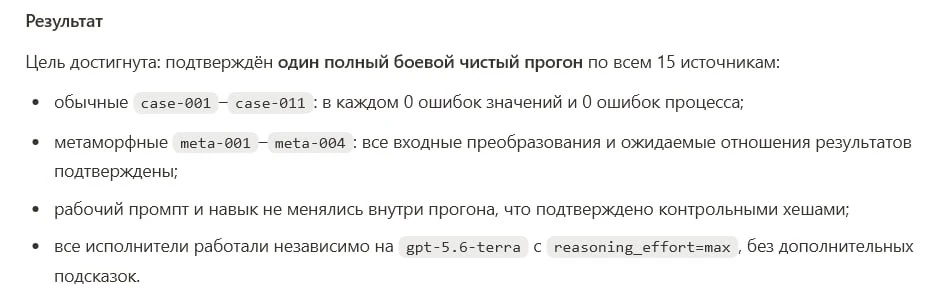
Good proof is specific enough to inspect: a test output, a list of files, a screenshot of the required flow, a metric, or a checklist with links to artifacts. It lets another person repeat the key verification instead of trusting a confident final message.
Closing M: the istranscribe example
For istranscribe, completion meant a fresh pass through installation, meeting detection, the recording request, audio capture, saving the file, update, and removal. The final report named the result of each check and the artifacts that proved it.

Achievable: does the agent have what it needs?
_Achievable · A_
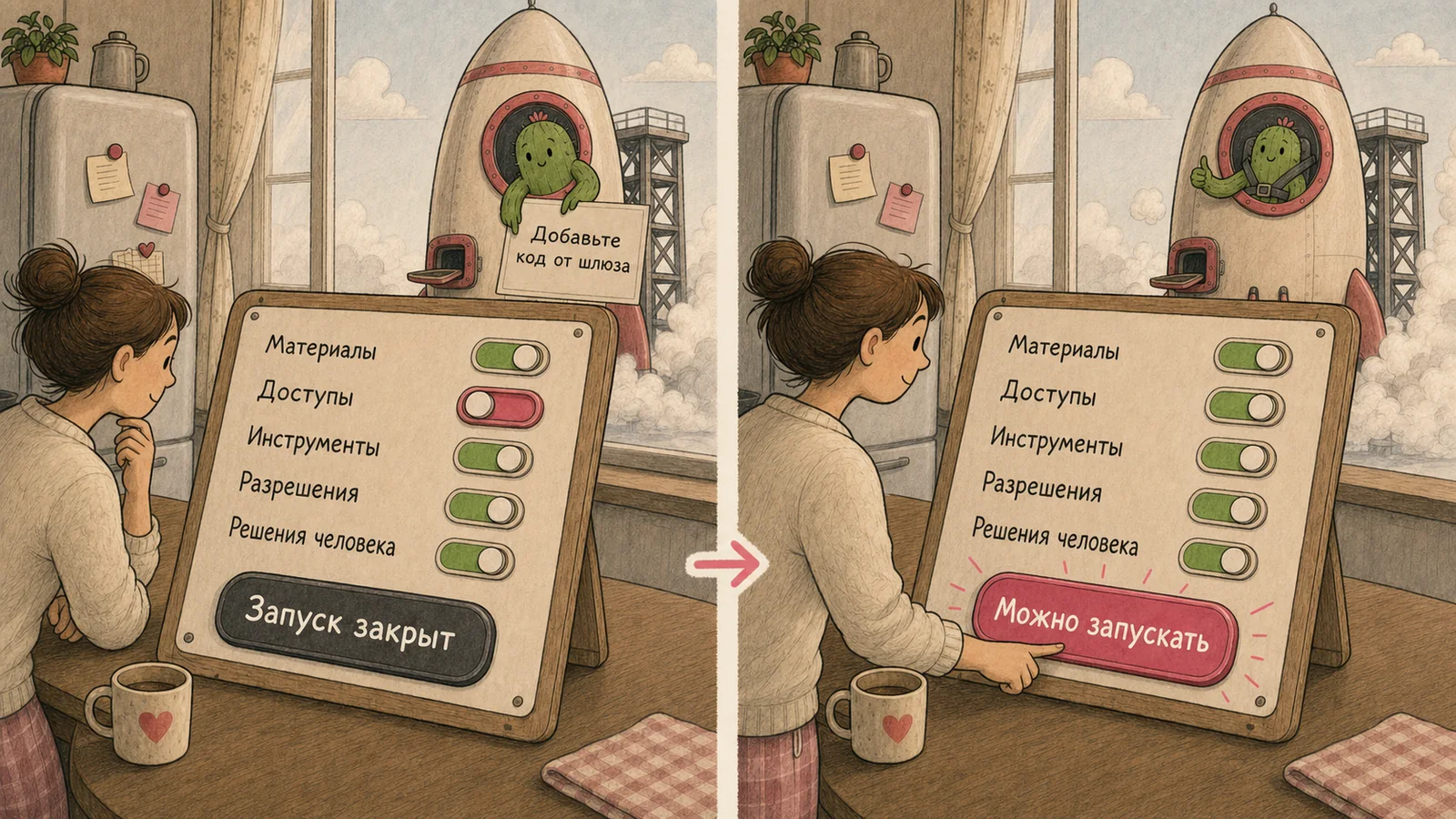
An agent can only complete the part of a task supported by the materials, access, tools, permissions, and human decisions it has. If one mandatory element is missing, it may guess, narrow the result to what is available, or hit a blocker halfway through work. A good Goal says where to find support and when to return to a person.

One detail can close several letters
A board card with a clear outcome, source links, a check, and a boundary supports several SMART letters at once. It says what to do, what resources are available, how to evaluate the result, and what part of the larger goal it serves.
A short Goal can rely on a large context
The line implement FEAT-008 is enough only when the project already has an accessible specification, a board, named checks, and a shared way of resolving blockers. Short goals inherit their detail from those materials.
When an agent needs to stop
If you need a missing access grant, secret, or product decision to continue, stop and report: what is already done, exactly what is missing, why it is needed, and the smallest action that will unblock the work.
Closing A: the istranscribe example
Before launch, the agent had the specifications, the board, repository access, the Windows build tools, and permission to change the release scope. The only remaining decisions were written down before they became blockers.
Relevant: what problem does this solve?
_Relevant · R_
Relevance gives the agent a compass when it chooses between plausible tasks. An implementation detail can be technically correct and still miss the person who needs the outcome.
The user result works as a compass
For istranscribe, the user result was: “After a meeting, the user finds a finished recording in the chosen folder even if they did not remember to start recording.” This made the main path clear: detect a meeting, ask permission, record, and save.
A technical task should lead to human action
Use the form:
We are making [result] so that [specific person] can [action or change].
R helps choose what to do now
When the main user path is explicit, decorative features, side integrations, and future improvements are easier to put aside. The agent can keep the current release focused.
Closing R: the istranscribe example
User job: preserve a meeting even if the user forgot to start recording manually.<br> Main path: detect a meeting → ask permission → record → save the file.<br> Priority: first make that path reliable and simple; put other improvements into later versions.

Time-bound: how much time and how many attempts to allow
_Time-bound · T_
Time matters when a result is needed soon, but a limit also gives the agent a rule for stopping and reporting. State the size of the batch, the available budget, the number of additional agents, and what happens when progress stalls.
Time matters when the result is needed soon
Work for 60 minutes. Then stop and show the best verified result, what remains, and the next step.
Smaller batches improve focus and increase cost
Smaller batches provide more review points. They also create more passes, so they can raise token use. A reasonable instruction names the batch and how to evaluate it before the next one begins.
How a Goal spends its limit
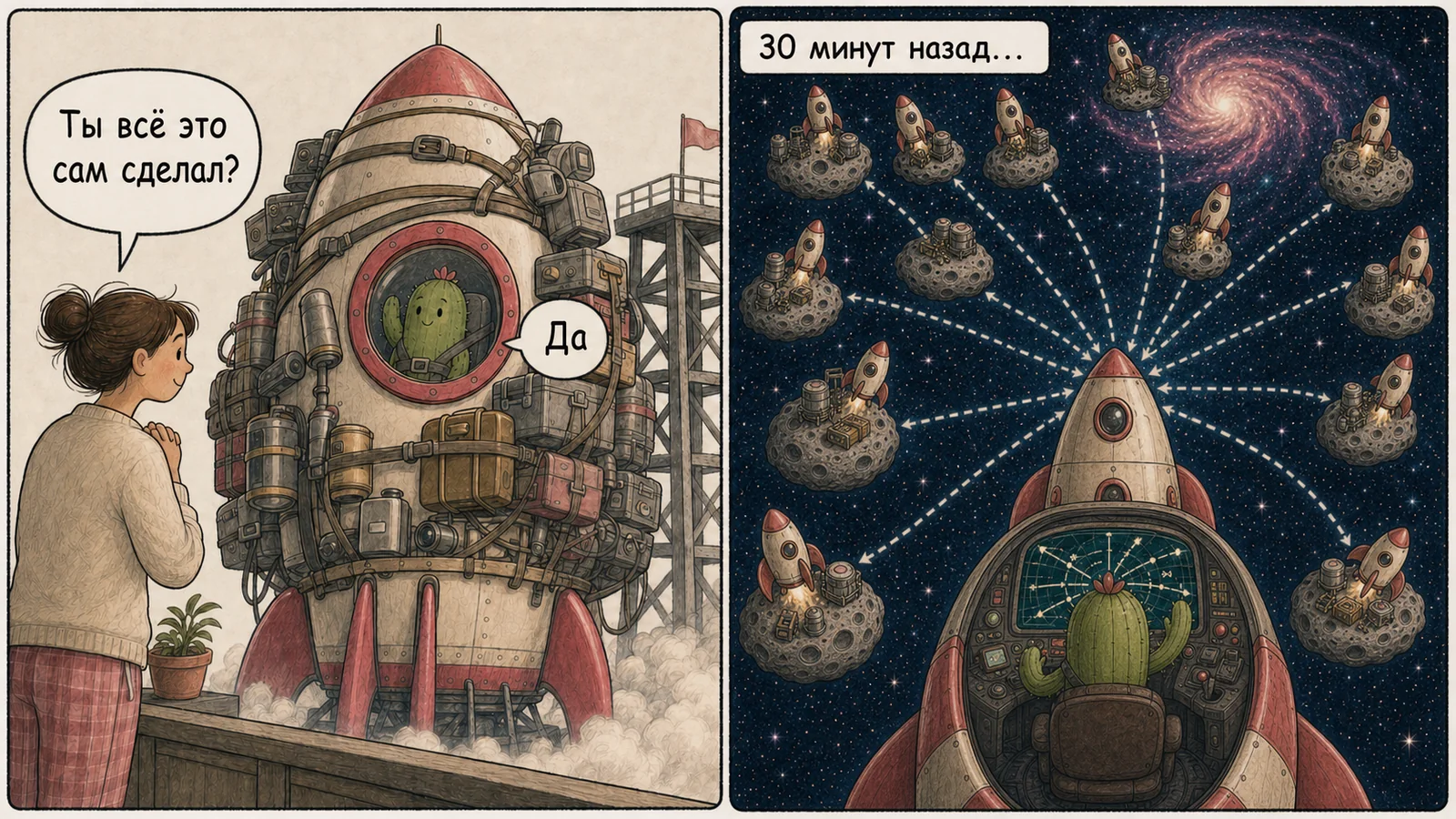
The visible counter can describe the primary Goal while the total includes delegated branches. In one task, the primary counter showed 19,055,568 tokens, while the full team of 206 agents used 287,224,439.
 and the whole team
Additional agents speed up work and expand spend
Delegation can make independent work happen in parallel. Its cost belongs to the whole team. Set a concurrency limit and a total branch limit in the Goal itself.
A long Goal must notice that it is stuck
If two consecutive passes produce no new result, check, or diagnostic information, stop repeating that approach. Form a different hypothesis. After three different hypotheses without progress, stop and show what is known so far.
A $20 plan leaves little room for a Goal to unfold
Long, multi-agent work needs enough allowance for planning, execution, checks, and rework. A tight plan can still support a scoped task, but it should have a small batch and a clear stopping point.
Closing T: the istranscribe example
Work through the current release cards in sequence. Keep one primary card in focus. Finish when every release card is closed and checked. Put ideas for later versions aside. Keep no more than five additional branches active at once, and change approach after two passes without new results.
Before a long Goal, review T through six questions:
- What total volume needs completing: objects, cards, or stages?
- Which batches will the agent use to move through that volume?
- Is there a deadline, and what should it return when the timebox ends?
- How many additional agents are allowed, and what may they handle?
- After how much repetition should it change approach?
- What should it show if the plan allowance or timebox ends first?
Two completed Goals we did not accept
Agents can complete the contract they inferred rather than the result you imagined. We saw this twice in a particularly useful form.

Two hours for a general list instead of manual review
In one client project, we needed to review deals, read managers’ comments, and give an individual recommendation for each one. The agent processed the list, wrote complete, and reported that the Goal was finished. It used 1,084,240 tokens and ran actively for 2 hours and 2 minutes.
After reviewing the result, we replied that it would not do: each deal needed a manual review of its comments.
The word “individual” had been too broad. The agent had produced recommendations for every row; we expected it to read each deal’s history carefully and make a separate management decision.
The corrective Goal defined the process:
Work through ten deals per pass. For each deal, inspect its history and fields separately, then choose one of two actions: remove it from the list with a reason, or keep it and give the manager an individual next step. After every batch of ten, show a table for review.
The second run used another 439,260 tokens and 27 minutes 56 seconds.
The first Goal failed across three SMART letters:
S: the depth of an “individual” review was still only in our heads;M: there was no accepted example of a single row or a check for every recommendation;T: it worked through the whole list at once, and batches of ten appeared only after feedback.
The cost of the mistake was two hours of work and more than a million tokens before the first meaningful acceptance check.
Every topic was present, but there were too few documents
The meeting-preparation case from the Specific section had the same shape. We asked for a summary of the previous conversation, the current structure, a possible future structure, and a preparation note for an urgent meeting. The agent put all four topics in one large briefing and completed the Goal in 8 minutes and 43 seconds.
We expected four independent files. After direct feedback, we had to list them one by one and launch a new Goal. The correction took another 11 minutes and 23 seconds.
Here S and M were at fault: the content had been listed, while the unit of output, the number of files, and the final verification method remained implicit.
Accept a sample before running the full volume
Process the remaining 95 deals using the accepted sample. Work in batches of five and check the same fields after each batch. Finish the Goal after all 100 deals are processed.

For large repetitive work, accept a small pilot batch first: review the first five deals, prepare one document from the set, make one research card, or assemble the first five slides. It reveals the required depth, form, and evidence before the agent reproduces the wrong pattern a hundred times.
A pilot also costs time and tokens. It keeps the potential rework smaller: the error appears in five rows, one document, or a few slides.
Before an expensive, repetitive Goal, check five things:
- Is there one example of the result that the user has already accepted?
- Is the required depth of work on each object clear?
- Are the number, format, and required fields specified?
- At which batch will the user first see a real result?
- How much work will need redoing if expectations diverge?
Three ways to assemble a SMART Goal
SMART is a completeness check for a Goal. All five letters may live in your message, in a plan the agent prepares, or in project materials. That is why one well-defined Goal takes a page while another takes a single line.
The right method depends on the task and on how much is already known before launch.
1. Fill in SMART yourself
This is the most controlled option. It suits unfamiliar, expensive, or sensitive work where you know the expected result and want to make the key decisions in advance.
Work through the five letters, answer the questions, and give the agent the finished contract. It contains many fields because you set the outcome, checks, resources, priority, and work boundaries from the start.
Show the complete SMART template
## S. Specific
_Specific_

- What must be produced:
- What belongs to the current task:
- What remains outside it:
- What must still work after the changes:

## M. Measurable
_Measurable_

- Which signs show that the result is ready:
- How to check each sign:
- What the agent must show at the end:
- Which checks must be repeated after the last changes:

## A. Achievable
_Achievable_

- Where the materials and detailed context are:
- Which access grants, tools, and environments are available:
- Which actions are permitted:
- What should make the agent stop and ask a person for help:

## R. Relevant
_Relevant_

- Who will use the result:
- What that person will be able to do after completion:
- What matters most now:
- Which improvements belong to the next Goal:

## T. Time-bound
_Time-bound_

- What total volume must be completed:
- Which batches or stages to use:
- Whether the result is needed by a specific time:
- How many additional agents may be used:
- When to change approach and what to show when stopping:
You do not need every field. Four documents need a count, the role of each file, sources, and link checks. An application needs release boundaries, a test environment, and rules for preserving data.
Show a completed istranscribe example
## S. Specific
_Specific_

Bring istranscribe to a release-ready state for Windows x64.

The user installs the application with a normal double-click. It runs in the
background, detects a likely meeting, asks for permission, records audio, and
saves the finished audio file in the selected folder.

The current release includes meeting detection, the permission request,
recording, processing, and saving the file.

macOS, accounts, cloud sync, and built-in transcription belong to later versions.

Updating or removing the application preserves the user’s recordings.
Recording begins only after the user has given permission.

## M. Measurable
_Measurable_

The release is ready when, on the version after the last changes:

1. The application installs and launches on Windows x64.
2. It detects a test meeting and shows the recording request.
3. After confirmation, an audio file containing the meeting sound is created.
4. The file opens in a standard media player.
5. Updating and removing the application preserve the recordings folder.

At the end, list the result of every step and attach the created artifacts.

## A. Achievable
_Achievable_

First read the release specifications and the project-board cards.
Use the existing code, Windows environment, available audio devices,
and applications for test meetings.

You may change project code and documentation, run checks, and delegate
independent pieces of work to additional agents.

If an access grant, device, or product decision is missing, stop and report
what is ready and which action will unblock the work.

## R. Relevant
_Relevant_

The user must receive a meeting recording even if they did not remember
to start the recorder in advance.

Main path: detect a meeting → ask permission → record → save the file.
First do the work that makes this path reliable and simple. Put other
improvements into later versions.

## T. Time-bound
_Time-bound_

Work through the cards for the current Windows release in sequence.
Keep one primary card in focus and finish the Goal when every release
card is closed and checked.

Keep no more than five additional branches active at once.
After two passes without a new result, change approach.
When stopping, show what is complete, what remains, the latest checks,
and the next step.
For a compact reminder, use this table:
| Letter | Questions to answer |
|---|---|
| S — Specific | What will exist at the end? What is in scope? What must remain unchanged? |
| M — Measurable | Which checks prove completion, and what evidence must the final response show? |
| A — Achievable | Which files, systems, access grants, tools, and decisions are available? |
| R — Relevant | Which user or business result is the work intended to create? |
| T — Time-bound | Which cards, limits, batches, delegation rules, and stopping conditions apply? |
Turn the answers into a short contract and link the detailed sources. The exact words matter less than a shared, inspectable picture of the work.
We rarely use the fully manual method ourselves. Usually the agent assembles the first SMART version and working environment, and we review its decisions before launch. That leads to the next method.
2. Ask the agent to prepare the Goal
For substantial work, this is a good default scenario. The agent first studies the materials, lays the task out through SMART, and prepares the environment for a long run. A person reviews its decisions and authorises the launch.
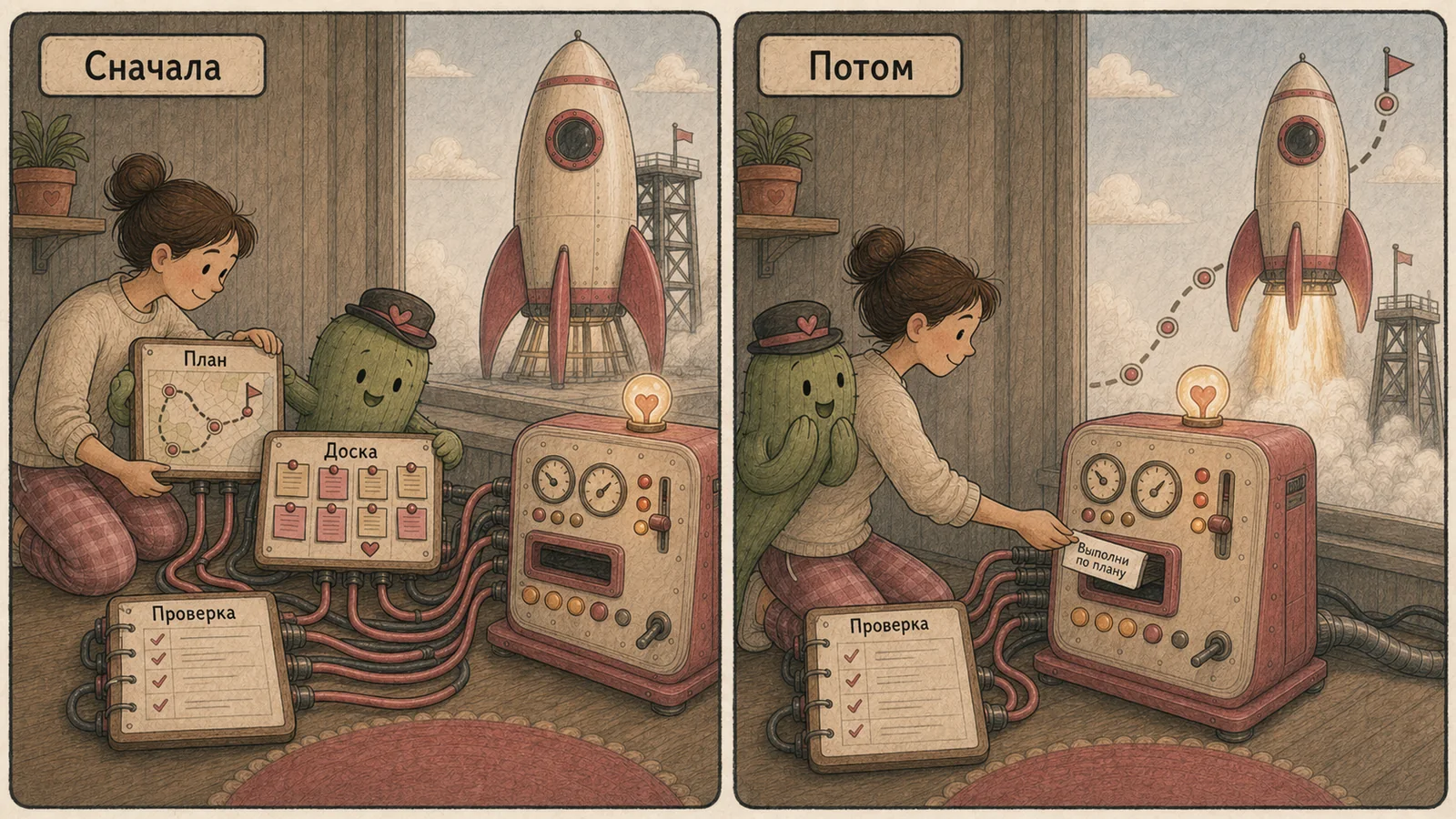
The environment can be one note containing the goal and plan. For long Goals, we usually create a separate working folder with five parts:
- Goal (
GOAL.md) — outcome, boundaries, and completion condition. - Plan (
PLAN.md) — major stages and order of work. - Board (
BOARD.md) — cards in Planned, In progress, Under review, Done, and Blocked columns. - Verification (
VERIFY.md) — how to accept individual cards and the whole Goal. - Progress (
PROGRESS.md) — the last verified result, current step, blockers, and next action.
The filenames are examples. The same structure can be five sections in one note, pages in a work service, or a real kanban board.
A board is especially useful during a long run. The agent takes one card, completes it, verifies the result, and moves it forward. Each card contains the expected result and verification method. After a pause or restart, the board shows where work stopped and what has already been accepted. The remaining cards give the Goal a clear completion condition.
Prepare this task for a Goal launch. Study the available materials and assemble a SMART contract: expected result, signs of completion, available resources, main priority, and boundaries. Create a working folder with the goal, plan, kanban board, verification methods, and current-progress record. Put the expected result and verification method on every board card. Separately list missing data and decisions that I need to make. Show everything for review before implementation starts.
After approval:
Execute the approved Goal. Take cards from the board, update their state, and record verification results. Finish when every card is closed and the overall completion criteria have been checked again.
This is how istranscribe was prepared. Before the long run, the agent studied the application’s state, clarified the list of meeting applications, chose Windows x64 for the first release, deferred built-in transcription, and organised the work on a board. The Goal then had a clear route and a finite number of cards.
3. Launch a Goal with one sentence
A one-sentence Goal works when a detailed contract already exists in accessible specifications and a board:
Bring istranscribe to a release-ready state for Windows x64 according to the approved specifications and board; finish the Goal after every current-release card is closed and checked.
Prepare four documents according to the approved plan and finish the Goal when each passes the check on the acceptance sheet.
In Claude Code, the evaluator does not open files, so a short Goal needs to bring the checklist into the conversation first:
First show a short numbered checklist of all criteria in
GOAL.md. Consider the goal achieved when the final message repeats the full checklist and gives current check results and artifact links for every item.
The choice is straightforward. If you want to make every important decision yourself, fill in SMART manually. If the task needs study of the materials, first ask the agent to prepare it and review the result. If an approved contract already exists, launch the Goal with one line.
Which model and reasoning depth to choose for a Goal
A long Goal has three controls. The model affects capability and cost. Reasoning depth affects the effort spent planning and checking each step. Ultra, available in Codex and Claude, also changes the organisation of work: the primary agent delegates more readily.
First define the nature of the work
| Task character | Codex | Claude | Example |
|---|---|---|---|
| Clear and repeatable | Luna | Sonnet | Process one hundred similar documents from a prepared template |
| Ordinary multi-step work | Terra or Sol | Sonnet | Assemble a set of materials from an approved plan |
| Complex and open-ended | Sol | Opus | Design a service, conduct major research, find the cause of a rare bug |
| Long-running, with several directions | Sol | Fable | Prepare a release where the app, installer, checks, and documentation change in parallel |
Reasoning depth shows how much effort to give one step
- Low / Light — short, unambiguous actions.
- Medium — ordinary multi-step work with a prepared plan.
- High / Extra High — many dependencies, sources, and consequential decisions.
- Max — one particularly hard task where depth matters more than speed and spend.
- Ultra — a large task that the agent can split into many branches itself.
Before increasing the mode, check SMART again. More reasoning cannot fill a missing source, completion criterion, or access grant. It helps when the context is already assembled and the task itself is hard to navigate or verify.
You can call additional agents in any mode
Additional agents are available without Ultra. Codex and Claude can create them during ordinary work. They are less likely to delegate autonomously in those modes, so say directly which parts to delegate, how many workers to call, and how to accept their results.
Create three additional agents. Give the first a source-data check, the second a search for missed cases, and the third an independent review of the finished result. Collect their findings and make the final decision yourself.
That instruction works at any reasoning depth. You can also define standing roles in advance: researcher, implementer, critic, and verifier. The primary agent then knows when to call on each one.
In Ultra, the team appears on its own
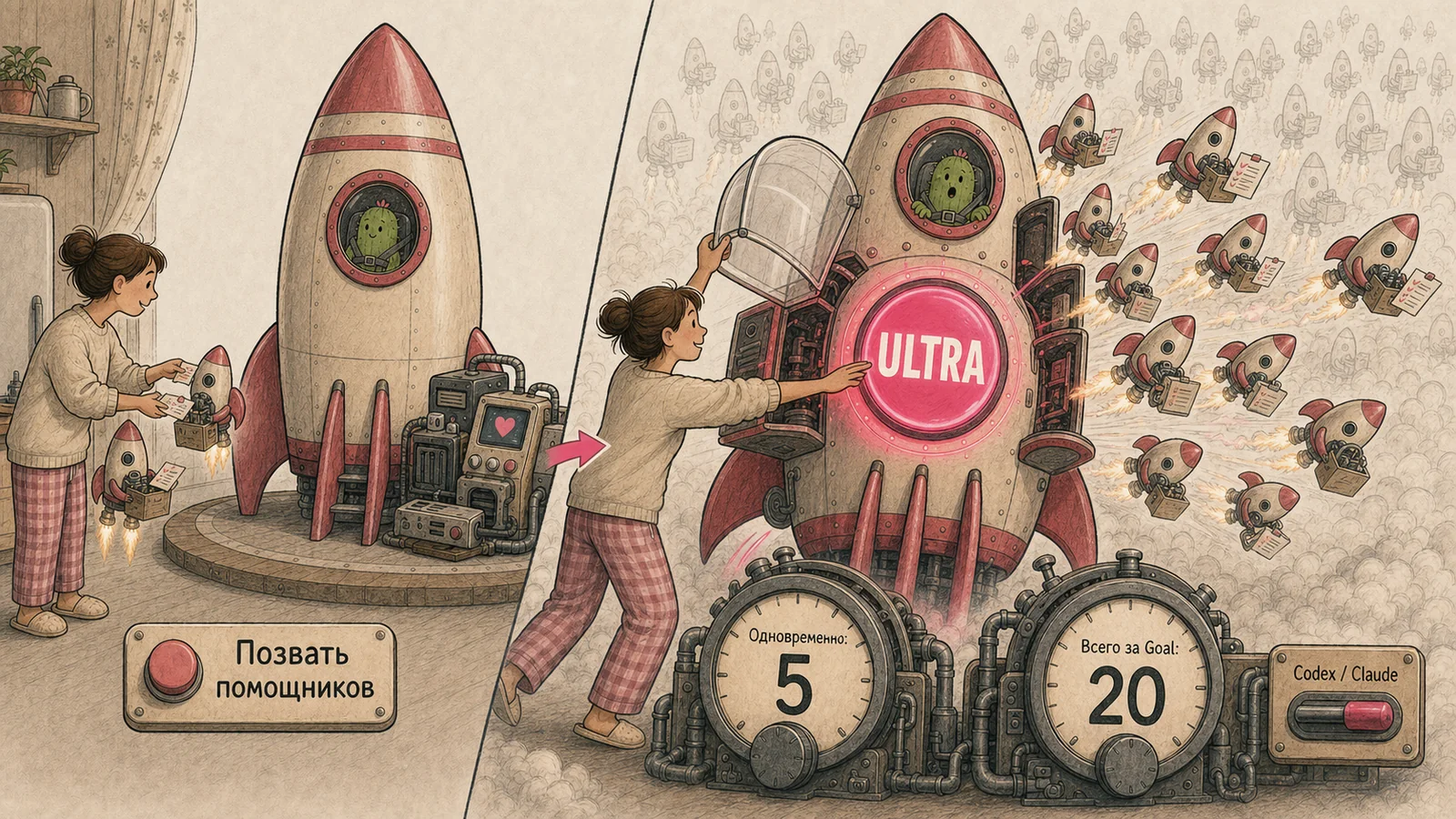
In Max, the primary agent spends longer reasoning about one task. In Ultra, it looks for independent directions and calls additional workers without a separate user request. One can work on an installer while another checks audio recording and a third reviews documentation. The primary agent combines the results and remains responsible for overall verification.
You can constrain automatic delegation inside the Goal: permit only certain types of work, set a concurrency limit, and cap the total number of branches. These rules work in both Codex and Claude.
For istranscribe, we chose Sol + Ultra. The parent Goal ran for 20 hours and 24 minutes, created 79 additional branches, and reached the intended release state. The measured total across the branches was 848.3 million tokens.
Before using Ultra, answer three questions:
- Does the task contain several parts that can be done independently?
- Can the primary agent verify and combine them into one result?
- Is the allowance sufficient for all additional workers?
If the answers are yes, set a concurrency limit and a total branch limit in the Goal from the start.
Delegate only independent cards to additional agents. Keep no more than five branches active at once and no more than twenty over the whole Goal. Accept each branch using the check on its card.
How to set an AI-agent goal: where to start
For your first Goal, use a real multi-step task whose result you can check yourself: four documents for a meeting, ten interviews to analyse, research based on named sources, or a small application from a prepared brief.
Keep the first launch to a few cards. You will see the entire cycle: planning, board movement, intermediate checks, and proof of completion.
First write what readiness looks like
Begin with M, measurability. Write what must appear and which evidence will let you accept it.
Four separate documents must exist at the end. Each answers its own question from the plan, uses the named sources, and passes a link check. In the final response, show the file list and the result of every check.
The other letters then become easier:
Sclarifies content, form, and scope;Alists materials, access, and permitted actions;Rsets the main user result;Tdefines volume, batch size, delegation, and stopping.
Ask the agent to prepare the first launch
I want to launch a Goal for this task: [describe the task]. First prepare it using SMART. Create the goal, plan, kanban board, verification methods, and a progress record. Split the work into several checkable cards. Show missing data and decisions I need to make. Do not launch the Goal before my confirmation.
Review the preparation:
- Is it clear what will exist at the end?
- Can you check the result without trusting the word
complete? - Does the agent have materials and access for every card?
- Does the board show where the work ends?
If the answers are good, launch it:
Execute the approved goal. Work from the board, record the results of checks, and finish the Goal after every card is accepted. Keep new ideas separate. Use no more than two additional agents at once. At a blocker, show what is complete, what remains, and the smallest action needed to continue.
For a first run, a standard model and normal depth are enough: Sol with Medium in Codex or Sonnet at its default setting in Claude. Completion will show whether the constraint was model capacity, missing context, or weak verification.
The final word remains with a person
A built-in evaluator can end a Goal. Your acceptance ends the work. Open the result, repeat the main check, and compare it with the original assignment.
When an agent writes complete and the outcome is unsatisfactory, SMART helps locate the gap: the wrong object was expected, a check was missing, data was unavailable, work drifted, or it stopped too early. The next brief becomes more precise for a clear reason.
In brief: answers to common questions
How do I give an AI agent a task?
Describe the expected result, signs of completion, available materials, main priority, and work boundaries. For a long task, first ask the agent to prepare a plan, board, and checks; launch the Goal after your review.
How is a Goal different from an ordinary prompt?
An ordinary prompt ends with one answer. In a Goal, the result of each cycle is checked. Work continues when the completion condition is not met.
How can I verify that a goal is actually complete?
Name the evidence in advance: files, a test, a metric, a screenshot, or a checklist. The final check must apply to the version after the last change.
When do I need Ultra?
Ultra is useful when a task has independent parts and the primary agent can check and combine their results. Set limits for concurrent and total additional agents in advance.
Apply these recommendations to your task
Here is the article: https://niar42.com/en/articles/goal-setting-ai-agents/

Help me apply the author’s recommendations to my task. Study the project.
If the context is sufficient, prepare everything needed to execute the Goal
and show it to me for review. If information is missing, ask questions.
Our Goals have gradually grown to two days, dozens of workers, and hundreds of millions of tokens. You do not need to begin at that scale. A good first Goal gives you something more useful: an understanding of why the agent keeps working, which sign will stop it, and what will let you accept the result.